One recent case makes the point sharply. A longtime eero mesh user switched to Ubiquiti’s UniFi ecosystem after years of fighting the same problem: mesh nodes need a wall outlet, and the best spot for coverage is rarely next to one. The switch wasn’t painless — by the writer’s own account, it took a week or two of tinkering and a friend’s help to get everything configured — but it solved a problem that a prettier consumer mesh box never could.
The overhead nobody puts on the spec sheet
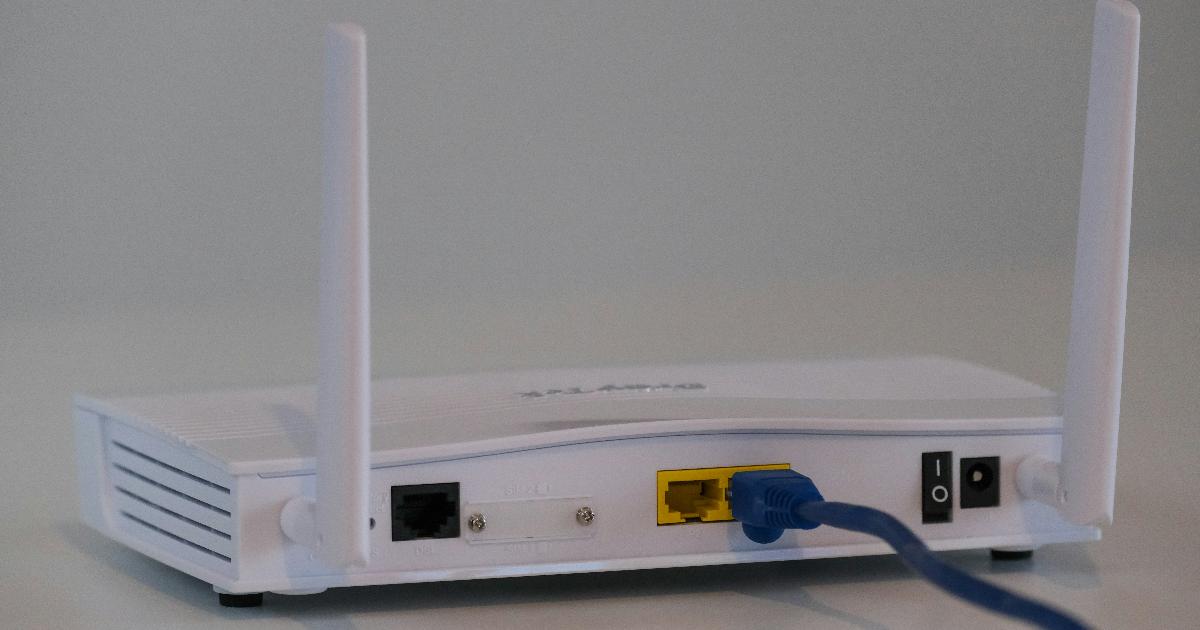
Consumer mesh systems sell simplicity: plug in a few identical pucks, run an app, done in twenty minutes. That simplicity has a real cost, though, and it isn’t measured in dollars — it’s measured in compromise. Most mesh nodes need AC power, so their location is dictated by your electrical outlets, not by where your signal actually struggles. You can run an Ethernet cable to almost anywhere in a house far more easily than you can run a new electrical circuit, but a standard mesh node can’t take advantage of that.
There’s also a performance cost baked into how wireless mesh works. Nodes often relay traffic to each other over the air rather than through a wired connection back to the router, which means part of your bandwidth is spent just keeping the mesh talking to itself before any of it reaches your laptop or phone. That’s a reasonable trade for convenience in a small apartment. It becomes a much worse trade in a larger home with multiple floors, thick walls, or a growing pile of connected devices.
Power over Ethernet: separating "where power is" from "where signal should be"
The fix at the center of the UniFi case study is a technology that predates Wi-Fi 7 by decades: Power over Ethernet, or PoE. A single Ethernet cable can carry both data and enough electricity to run a small device, which means an access point no longer needs to sit near an outlet — it needs to sit where coverage is best. In the featured setup, that meant placing access points inside a bedroom closet and above kitchen cabinets, locations that would never work for a plug-in mesh node.
The logic is straightforward once you see it laid out:
flowchart LR
A[Ideal AP location] --> B{Outlet nearby?}
B -->|No| C[Compromise placement]
B -->|Ethernet can be run| D[PoE access point]
D --> E[Placed exactly where needed]
C --> F[Coverage gap remains]
This is why the argument in the source material isn’t really "UniFi hardware is magic" — it’s that decoupling power delivery from placement removes a constraint that has quietly limited home Wi-Fi for years. Wi-Fi 7 itself brings more capacity and speed to the table, but it doesn’t rewrite physics: a strong radio in the wrong spot still produces a weak signal in the room that matters.
What each approach actually optimizes for
Comparing consumer mesh and a UniFi-style network as if one is simply "better" misses the point — they’re built around different priorities.
| Dimension | Consumer mesh | UniFi-style setup |
|---|---|---|
| Setup time | Minutes, app-guided | Hours to weeks, more manual configuration |
| Placement flexibility | Limited to outlet locations | PoE frees placement from outlets |
| Backhaul | Often wireless between nodes | Wired Ethernet backhaul, no relay overhead |
| Expandability | Usually locked to one vendor’s node lineup | Mix-and-match access points via a shared controller |
| Network segmentation | Minimal or none | VLANs separate device types on one physical network |
| Best fit | Renters, small homes, no cabling access | Growing device counts, multi-room coverage, wired runs possible |
The UniFi side of that table only looks attractive if you actually need what it offers. A network controller that centralizes configuration for multiple access points and switches is genuinely useful once you have four or five of them — it’s overhead you don’t need with two mesh pucks.
The real cost comparison isn’t sticker price
The most counterintuitive claim in the source case study is a cost one: after buying a UniFi Dream Router 7, two additional access points, and a PoE switch, the total came in under the price of an equivalent eero Pro 7 mesh setup. That’s a single household’s numbers, not a market-wide audit, and it depended on picking up used access points from an online marketplace for about $50 each — a route that requires patience and some risk tolerance, not something every buyer will replicate. A separate long-term review of the same Dream Router 7 model, based on small-office installations, found list pricing around $279 direct from the manufacturer, with an all-in-one unit costing less than assembling a comparable separate gateway-and-access-point combination in some configurations. Neither figure should be read as a universal price rule; hardware bundles, regional pricing, and promotions shift the math constantly, and the retail comparisons circulating online are not neutral lab tests — they’re built to make one product look favorable.
What both sources agree on is the shape of the trade: once you’re pricing "a workable network for this house" rather than "the cheapest box on the shelf," extra switches, mounts, and access points stop being upsells and start being the actual product.
When mesh is still the right answer
None of this makes consumer mesh obsolete. If you rent, can’t run cable through walls, or simply want a network that works without ever opening a settings menu, a wireless mesh system remains a sound, low-effort choice — that’s precisely the use case it was designed for. Broader testing of consumer mesh systems keeps confirming that they still win decisively on setup speed and wireless-only convenience, which matters more than raw flexibility for a lot of households. The UniFi route makes sense specifically when Ethernet is already possible to run, the device count keeps climbing, or separating guest traffic and smart-home gadgets onto different VLANs starts to feel less like a luxury and more like housekeeping.
The takeaway
The underlying shift here isn’t about one brand beating another — it’s about what "buying Wi-Fi" even means once a home starts to resemble a small office. When placement, power delivery, and future expansion all start mattering at once, a router stops being a single purchase and becomes an infrastructure decision, with the same trade-offs any small business already navigates: convenience versus control, and simplicity versus room to grow.