It probably was — except the three teams were the same AI model, talked to on three different days, each time guessing at hundreds of tiny visual decisions with no memory of the guesses it made before.
This is the quiet failure mode behind a lot of disappointing AI-generated design work, and it isn’t really a story about the model being "not smart enough." It’s a story about missing data.
The model isn’t wrong — it’s underinformed
When a large language model generates a padding value, a shade of blue, or a border radius, it isn’t looking anything up. It’s producing a plausible number. According to a widely circulated practical breakdown of this problem, a single AI coding session can involve somewhere between 200 and 300 of these micro-decisions — spacing here, a font weight there, a color choice on a hover state. Each guess looks reasonable in isolation. None of them individually breaks anything. But reasonable guesses don’t sum to a consistent system, they sum to visual noise that’s hard to name but easy to feel.
The problem compounds because most AI coding sessions start from zero. The model has no memory of what it chose yesterday, so it doesn’t reuse #2563EB for links — it invents a new, equally plausible blue. Multiply that across ten sessions and, as the same source puts it, the product starts to look like it was built by three teams working in isolation. This is the mechanism behind the Smashing Magazine piece that frames the whole issue plainly: AI-generated prototypes underperform not because of clumsy prompting, but because of "tiny inconsistencies scattered all across a design system" — decisions that were made once by a human and never written down anywhere the AI could find them.
It’s worth being precise about what’s actually happening here, because it reframes the whole problem. This isn’t primarily a design-quality issue or an AI-capability issue. It’s a data-quality and data-structure issue. The design decisions already exist — in a designer’s head, in a Slack thread from eight months ago, in muscle memory. What doesn’t exist is a structured, searchable, machine-readable version of those decisions that a model can consult instead of guessing.
What code can tell an AI, and what it can’t
There’s a tempting shortcut here: if the component library already exists as code, can’t the AI just read the source and infer the rules? Only partly. A model pointed at a component library can see the API — import a button, pass a prop, done. What it can’t extract from source code is when to choose one component over a similar one, what spacing convention separates two sections, or how a three-column layout is supposed to behave on a smaller screen. That knowledge was never encoded as a rule; it lived as a judgment call a designer made in the moment and then never wrote down. Source code shows what was built. It doesn’t show why, and it doesn’t show what should happen next time a similar decision comes up.
That gap is exactly what a "spec file" is meant to close.
Turning decisions into infrastructure
The pattern described across recent guides — most concretely in a practical write-up from an Atlassian designer — treats design decisions as infrastructure, the same way a server configuration or a database schema is infrastructure. Every recurring decision, from spacing rules to when to use a modal versus an inline message, gets written into a structured Markdown file that the AI reads at the start of every session. Because these are plain text files, they’re cheap to produce and far more reliable than asking a model to reverse-engineer intent from a screenshot or a Figma file.
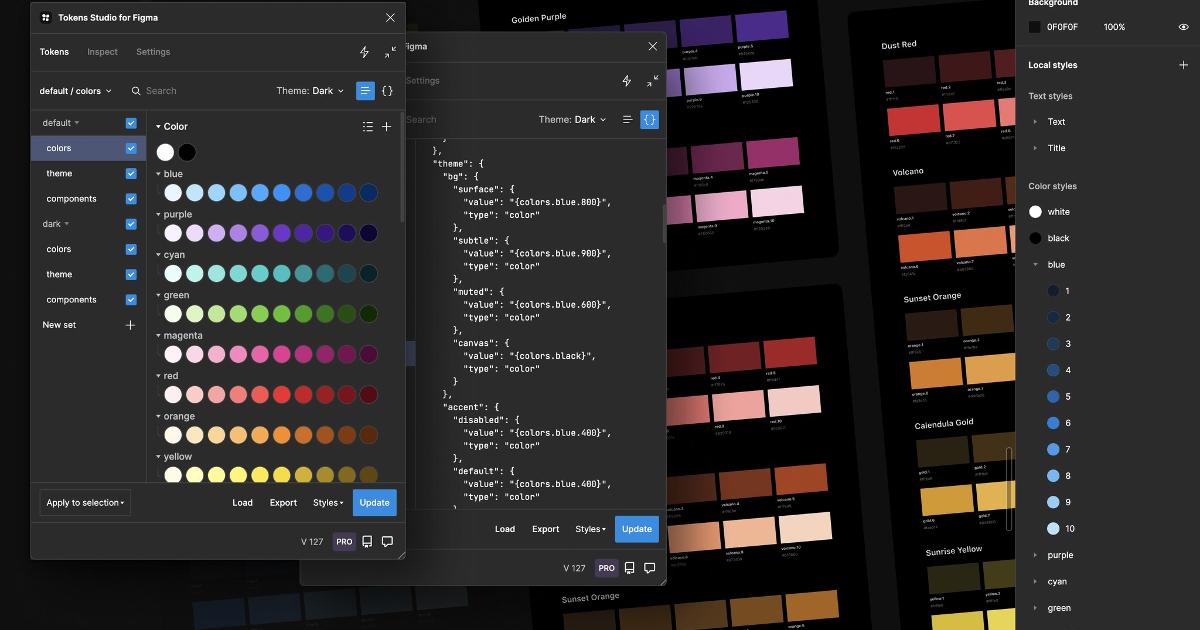
Sitting alongside the spec files is a token layer: a closed set of named variables for color, spacing, and typography, so the model chooses from a fixed list — var(--color-link) — instead of typing a hex code that merely looks right. This is the same idea design tokens have always represented, just aimed at a new reader. A closed token set reduces inconsistency precisely because it removes the option to invent a value in the first place.
Finally, an audit script checks the AI’s output against that token set and flags anything that slipped through — a raw hex color, a stray pixel value — the same way automated tests catch a code regression after a human review. In one documented case, running this kind of audit across a real project surfaced 418 hardcoded values across 28 files, which were then mapped onto roughly 230 named tokens. That number matters less as a target to replicate than as a demonstration of how much undocumented decision-making tends to accumulate in a codebase nobody has audited yet.
flowchart LR
 A[Undocumented decision] --> B[Spec file: Markdown rule]
 B --> C[Token layer: named variable]
 C --> D[AI generates prototype]
 D --> E[Audit script flags drift]
 E --> F[Sync routine updates specs]
The loop closes with a sync routine: when the underlying design system updates, it flags which spec files are now stale, so the AI keeps reading current rules instead of ones written against a version from months ago. Treat the design system as AI infrastructure and this stops looking like a documentation nice-to-have. It starts looking like data governance — the same discipline that keeps a database schema trustworthy, applied to visual decisions instead of tables and columns.
What each layer actually fixes
| Layer | What it fixes | If missing |
|---|---|---|
| Spec files | No memory of past decisions or intent | AI reinvents rules each session, guessing at spacing and usage |
| Token layer | Fabricated colors, sizes, and values | Dozens of near-identical blues, paddings, and radii accumulate |
| Audit script | Violations that slip past review | Hardcoded values quietly re-enter the codebase over time |
| Sync routine | Specs going stale after updates | AI keeps following outdated rules from an earlier system version |
None of these layers is a substitute for the others, and none removes the need for a human to look at the output. An audit script catches a hardcoded hex value; it does not judge whether a layout feels right or whether a component choice serves the user. That judgment still has to come from a person, ideally recorded once and then encoded downstream.
The unglamorous part: keeping it current
One detail that gets lost in the appeal of a one-time cleanup: before any of this scaffolding gets built, teams that do it well spend real time simply reading the existing codebase — auditing what already exists, what’s drifted, what’s worth preserving — before writing a single spec file. One designer described spending forty-five minutes reading an existing project before touching anything, calling it time that saved a week of cleanup later, because skipping that step doesn’t remove the discovery work, it just delays it into the middle of implementation, where surprises are far more expensive. That audit step, done either by a person or by an AI assistant working under close review, is what keeps the eventual spec files honest rather than aspirational.
And upkeep doesn’t stop there. Design systems change — a new component, a rebrand, a spacing convention that shifts. Every one of those changes has to trickle back down into the Markdown files, or the whole apparatus starts drifting from the product it’s supposed to describe. That maintenance obligation is arguably the least exciting and most important part of the story, because a spec file that hasn’t been touched since a redesign is arguably worse than no spec file — it tells the AI to confidently follow a rule that’s no longer true.
What this doesn’t mean
It’s worth being clear about the limits here. None of the public examples — from Atlassian’s own workflow to IBM’s Carbon system to smaller studio case studies — represent the full scope of AI-assisted work happening inside those companies; what’s published is a slice, not the whole practice. The specific prompt, folder structure, or six-step workflow described in any one write-up is one team’s implementation, not a universal standard, and how well it transfers to a different framework, a different team size, or a different codebase’s accumulated mess is still an open question. Nor does any audit script eliminate the need for a human to review what the AI produced — it just narrows the review to the things that actually require judgment.
The real takeaway
The quality of an AI-generated prototype has less to do with which model produced it than with whether the design decisions behind it were ever turned into something a machine can actually read — a rule instead of a habit, a token instead of a guess, an audit instead of a hope. That’s a less exciting story than "better AI," but it’s the more accurate one, and it points to where the real work is going: not in prompting harder, but in cleaning up and maintaining the data a model is quietly relying on every time it makes a design decision on your behalf.